AI Enablement
Stuck using AI at work? Contact me.
If you’re unsure whether AI can help with a task, how to get started, or how to check its answer, I’ll talk it through with you. Bring a real task and we’ll work through it using the AI tools your company approves.
What we can talk about
- “I do this report every week. What could AI help with?”
- “I tried asking AI, but the answer is too generic.”
- “The answer looks right. How do I check it?”
AI tools I can help you use
I can help you use these AI tools to work more efficiently. Bring a task you already do, and we can work through what to ask, what context to provide, and how to check the result.
- ChatGPT
- Claude
- Gemini
- Mistral
- Manus
- DeepSeek
- Grok
- Meta AI
- Copilot
AI Usage Grading
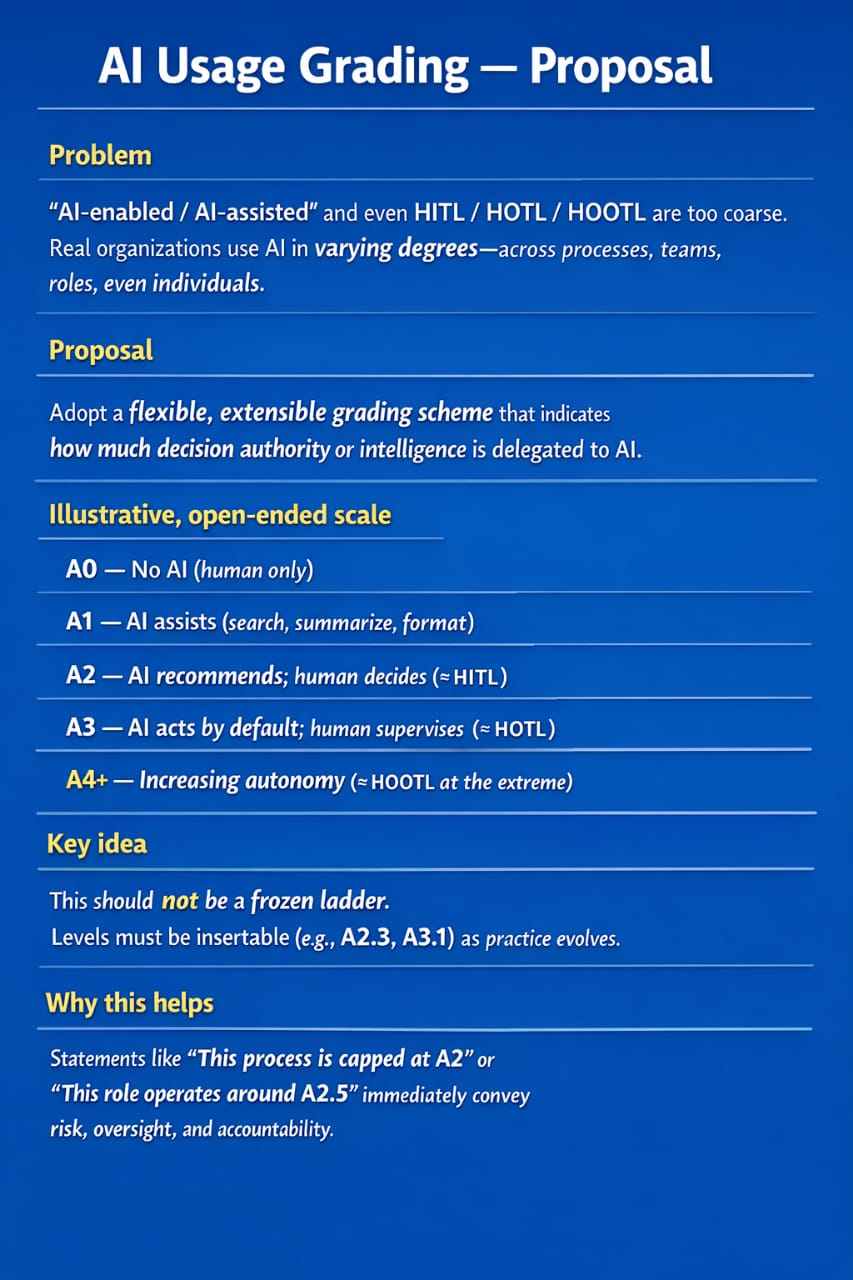
Terms like “AI-assisted” can describe anything from summarizing a document to taking action under human supervision. This proposed scale describes how much decision authority a workflow delegates to AI. It can be applied to a process, a team, or a specific role.
| Level | What AI does | Human role |
|---|---|---|
| A0 | No AI involvement | Performs the work |
| A1 | Assists with searching, summarizing, or formatting | Directs the work and uses the output |
| A2 | Recommends a decision or action | Decides whether to proceed |
| A3 | Acts by default within defined limits | Supervises and can intervene |
| A4+ | Acts with increasing autonomy | Oversight varies with the workflow |
The scale is open-ended. Intermediate grades such as A2.3 or A3.1 can capture differences as practices evolve. A team can use the scale to describe how it works today or to set a limit. For example, “This process is capped at A2” means AI can recommend an action and a person makes the decision.